Original preserved
The source message stays available instead of being replaced by translated text.
 DUXOR
No surprises.
DUXOR
No surprises.
This focused guide is currently available in English. Other languages open the localized Platform overview.
Multilingual construction communication
Duxor delivers project messages in each participant's preferred language while preserving the original text, source language, project, task, and conversation context.
One channel, different readers
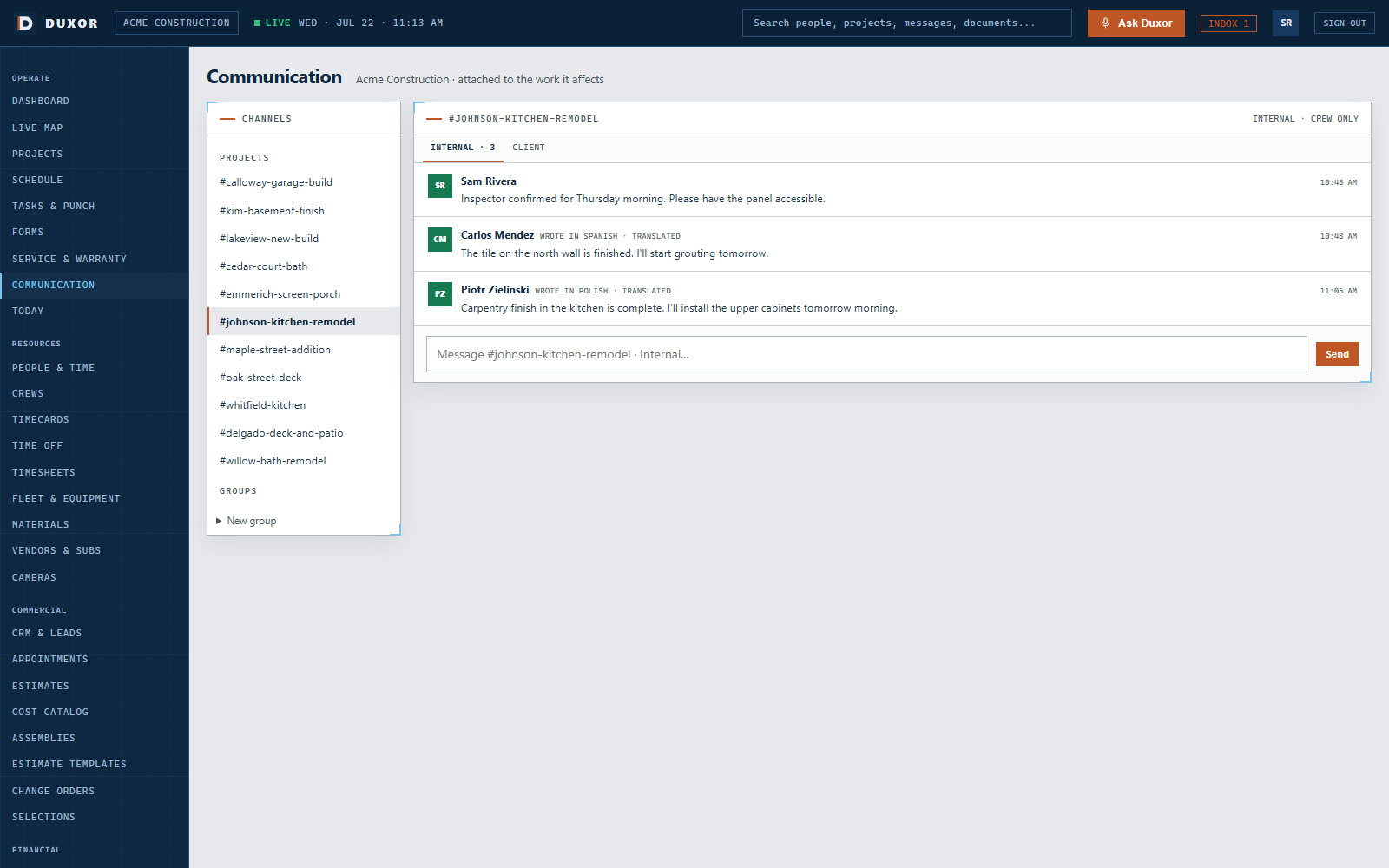
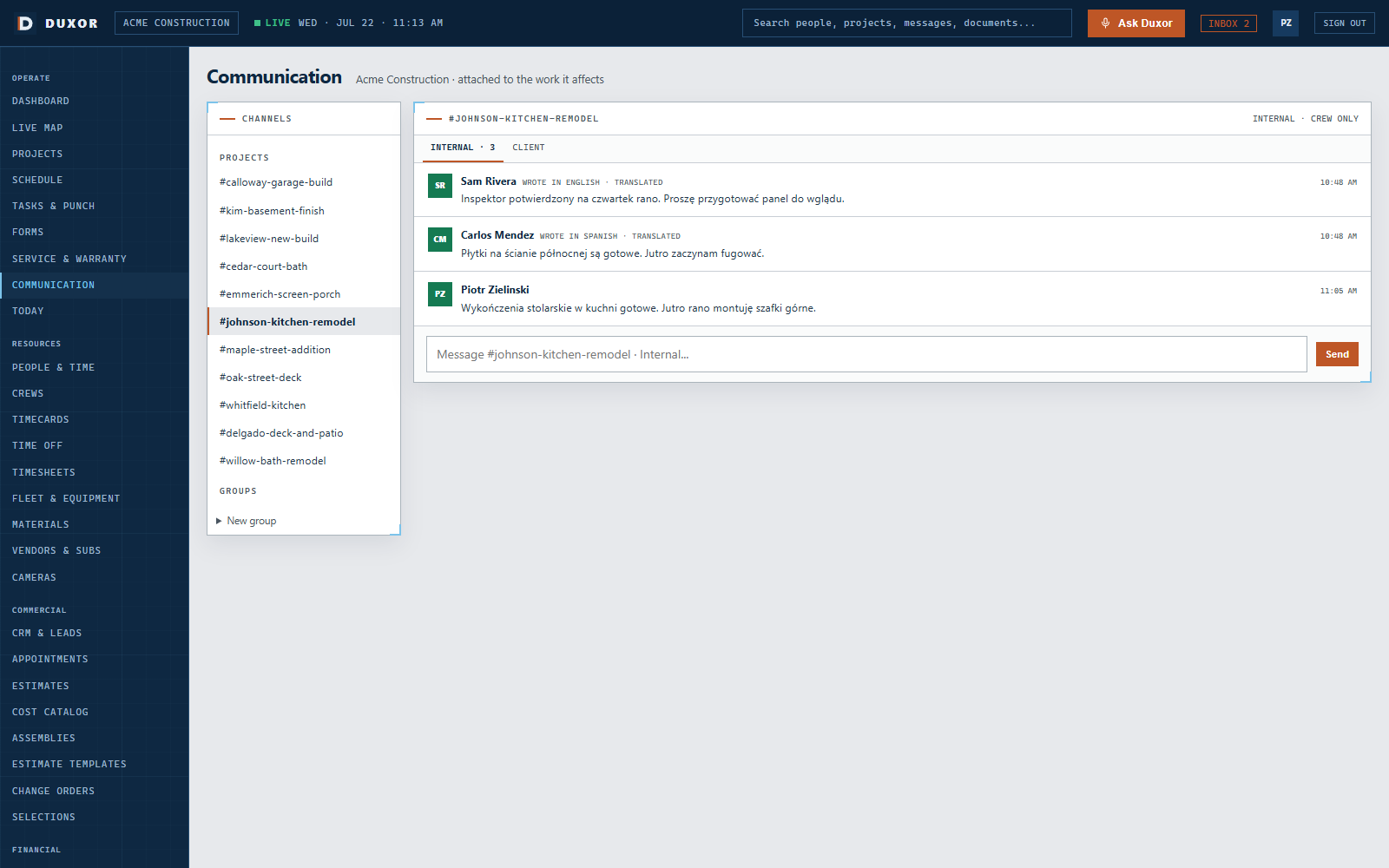
The project manager can write in English while each crew member reads in a preferred language. Replies return to the same project channel, so there is no human translator in the middle and no second conversation to reconcile.
How it works
Automatic translation is already running in the product. The translated text remains connected to the original message and the work it affects.
Send the update to the project, crew, subcontractor, customer, or another participant through the shared channel.
Duxor presents each message in the recipient's preferred language while everyone remains in the same operational conversation.
Label the source language, keep the original one hover away, and record the translating model for audit.
If the message becomes a task, schedule action, issue, change request, or approval, its original project context stays with it.
Supported languages
Duxor currently supports seven languages in project communication and the field experience.
More than translated text
The field app runs in the crew member's language, with adjustable text size, high contrast, large touch targets, voice, and offline capture. A translated message is useful because it arrives inside a field experience the person can operate.
People who never install the app still participate through SMS and email. Duxor returns their replies to the correct project conversation.
Operational clarity
Duxor keeps translation transparent and reviewable so the company can see what was originally written and what action followed.
The source message stays available instead of being replaced by translated text.
Each translated message carries its source language so readers understand what they are seeing.
The translating model is stored for audit along with the project conversation.
A familiar field failure
When the office writes in English and the crew is more comfortable in another language, important nuance can be lost and field participation can slow down.
Duxor keeps everyone inside one project conversation. The crew reads the instruction in its preferred language, the office reads replies in English, and the source remains available to both. No one has to forward screenshots or rebuild the conversation in a separate group.
All languages return to the same messages, decisions, attachments, and resulting actions.
Read status, acknowledgements, source language, original text, and activity history remain connected.
Connected solutions
Pair multilingual messaging with the schedule, customer view, and shared project record.
Use project, crew, subcontractor, customer, email, and SMS channels without losing context.
Explore communicationDeliver assignments, arrival windows, schedule changes, and affected-work notices to the right people.
Explore schedulingRespect customer language and communication preferences while keeping internal information private.
Explore the client portalWe will show how the message stays in one project conversation while each person reads it in their preferred language.